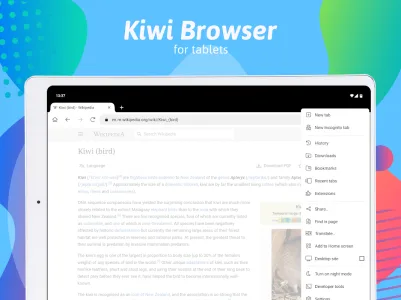
Kiwi Browser is a Chromium-based mobile browser designed to provide users with a fast, secure, and highly customizable web experience on Android devices. Built to feel light and smooth, it offers a familiar interface like Google Chrome but with extra tools that put control in your hands. Whether you’re concerned about privacy, want to block intrusive ads, or love experimenting with browser extensions, Kiwi stands out as a powerful alternative.

Kiwi Browser
Geometry OU
Download
232.94 MB
Kiwi Browser Screenshots

1 / 9
232.94 MB
Size
139.0.7339.0
Version
6.0+
Android
ARM64
Arch
About Kiwi Browser
Kiwi Browser is a Chromium-based mobile browser designed to provide users with a fast, secure, and highly customizable web experience on Android devices. Built to feel light and smooth, it offers a familiar interface like Google Chrome but with extra tools that put control in your hands. Whether you’re concerned about privacy, want to block intrusive ads, or love experimenting with browser extensions, Kiwi stands out as a powerful alternative.
A Strong Focus on Speed
One of the key attractions of Kiwi Browser is its speed. It’s built using the same core as Chrome, which means pages load quickly and scrolling feels responsive. It removes unnecessary features that slow down other browsers, giving you a lean, focused experience. Kiwi uses its own rendering engine tweaks to minimize resource usage, resulting in faster loading even on slower devices.
Built-In Ad Blocker
Nobody enjoys being bombarded by pop-ups or flashy banner ads. Kiwi Browser comes with a built-in ad blocker that works right out of the box. It eliminates distractions, improves loading speed, and reduces data consumption. You won’t need to install third-party apps to block ads—Kiwi takes care of that automatically.
Supports Chrome Extensions
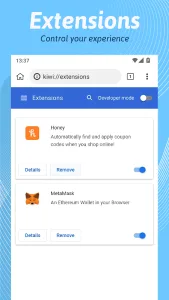
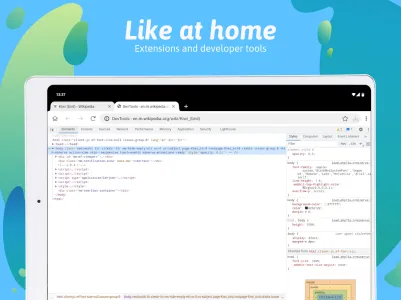
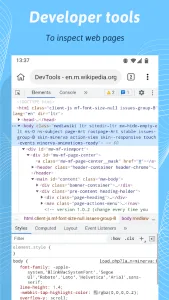
Unlike most mobile browsers, Kiwi allows you to install Chrome extensions directly from the Chrome Web Store. This is a game-changer for power users. Want to use a password manager like LastPass, or a dark mode enabler, or even custom scripts through Tampermonkey? You can. The browser brings desktop-level extension power into the palm of your hand.
Night Mode and Customization
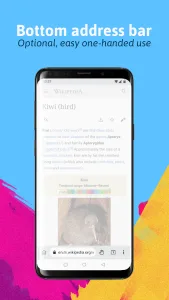
Kiwi Browser offers a built-in night mode that applies a true black background across websites, perfect for saving battery and easing eye strain. You can tweak the interface colors, move the address bar to the bottom, and change font styles to match your preference. It’s designed for users who want a personalized browsing experience.
Enhanced Privacy Features
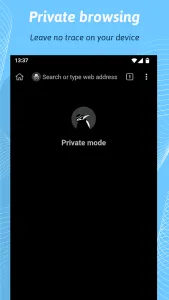
Privacy is a major concern for many mobile users, and Kiwi takes it seriously. It blocks tracking scripts and protects against cryptojacking attempts. The browser also disables AMP (Accelerated Mobile Pages) to ensure you see the full, original version of websites, not Google’s optimized (and often limited) versions.
Translation and Language Support
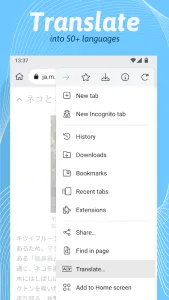
Just like Chrome, Kiwi Browser supports website translation. It uses Google’s translation engine, letting users browse content in different languages effortlessly. This makes it suitable for a global audience who read or interact with content in multiple languages.
No Background Activity
Kiwi is designed not to run in the background when it’s not active, which helps conserve battery life. It does not send usage statistics or crash reports without permission, aligning with its commitment to user privacy and transparency.
Why Choose Kiwi Over Other Browsers?
While there are many mobile browsers to choose from, Kiwi stands out by blending speed, privacy, and flexibility. Its support for extensions is rare on mobile, and its ad-blocking and customization options go far beyond the basics. It’s built for users who care about control and performance without sacrificing usability.
FAQs about Kiwi Browser
Yes, Kiwi Browser is considered safe. It’s based on Chromium, uses a secure rendering engine, and has several privacy-focused features such as ad-blocking, anti-tracking, and cryptojacking protection.
Absolutely. Kiwi Browser is one of the few mobile browsers that support Chrome extensions directly from the Chrome Web Store.
Yes, it has a built-in night mode that applies a dark theme across all websites, helping with eye strain and battery life.
No, Kiwi does not collect data or track your usage. It runs only when in use and respects user privacy.
Additional APP Information
Package Name
com.kiwibrowser.browser
Developer
Geometry OU
Category
Updated
Jun 18, 2025
Content Rating
Everyone
Signature
6870368deb4b62607ff711b34def5827d663b2a3
Get it On

You are now ready to download Kiwi Browser for free. Here are some notes:
- Please read our APK Info and installation instructions carefully for the game & app to work properly
- Read the FAQ carefully for more details
4.2/5 (40 votes)